


VIDEO: How to Get Your SSA-1099
The Social Security 1099 (Form SSA-1099) is especially important when you’re currently receiving Social Security retirement or disability benefits. This document details the total retirement or disability benefits you received in the previous tax year, which needs to be properly reported on your federal income tax return.
If you’ve lost the form, or it never made it to your mailbox, you can easily access your SSA-1099 form online…but we’ll also list the other ways to request the form.
Here Are 3 Ways to Get Form SSA-1099
Option #1 (Preferred Method): Download and Print Through Your My Social Security Account
Login to your SSA.gov account. Once you’re in, you’ll see these options to choose from on your dashboard.
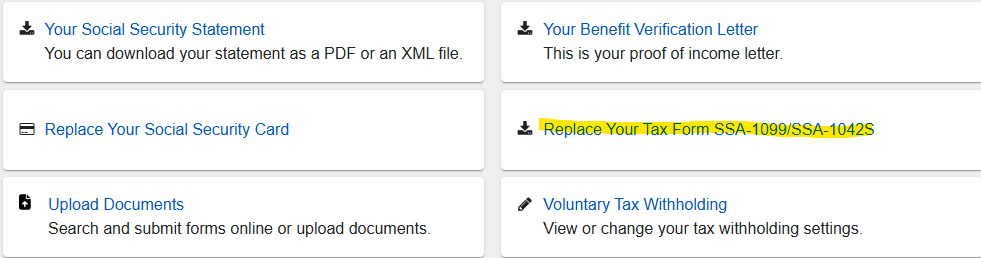
Click on the link that says “Replace Your Tax Form SSA-1099”.
On the next page, you’ll have the option to download and print the form right there…or you can request a copy by mail.
NEW AS OF NOVEMBER 2023: You can now access Form SSA-1099 up to 6 years in the past.
Option #2: Go To Your Local Social Security Office
As of January 2025, many SSA offices are no longer allowing “walk-ins” for things like requesting Form SSA-1099. But this varies depending on your area.
If you know your local SSA office allows walk-ins, go for it.
Option #3: Call Social Security at 800-772-1213
You can call SSA and request they send you another copy by mail.
Reference Links
www.socialsecurity.gov
Social Security Office Locator
Neither Medicare Mindset LLC nor its agents are connected with the Federal Medicare program.

